

Culture and Art
Powerpoint presentation prepared by the teacher and sent ahead: (can´t be uploaded here...)
Mindmeister link: https://mm.tt/map/2253714201?t=KTixYCqFuE- Mind maps made by groups of students
Quiz on Google Forms
Wordart clouds
Students will be divided into 4 - 5 groups with max. 5 members in each one (depending on the number of students in the class). One of them will be appointed the leader. They will receive the ppt presentation on the topic Culture and Arts a week or two before the lesson to prepare mind-maps of the chosen sub-topics (one group, one sub-topic) - flipped lesson.
Sample mind-map: https://mm.tt/map/2253714201?t=KTixYCqFuE - see the printscreen:
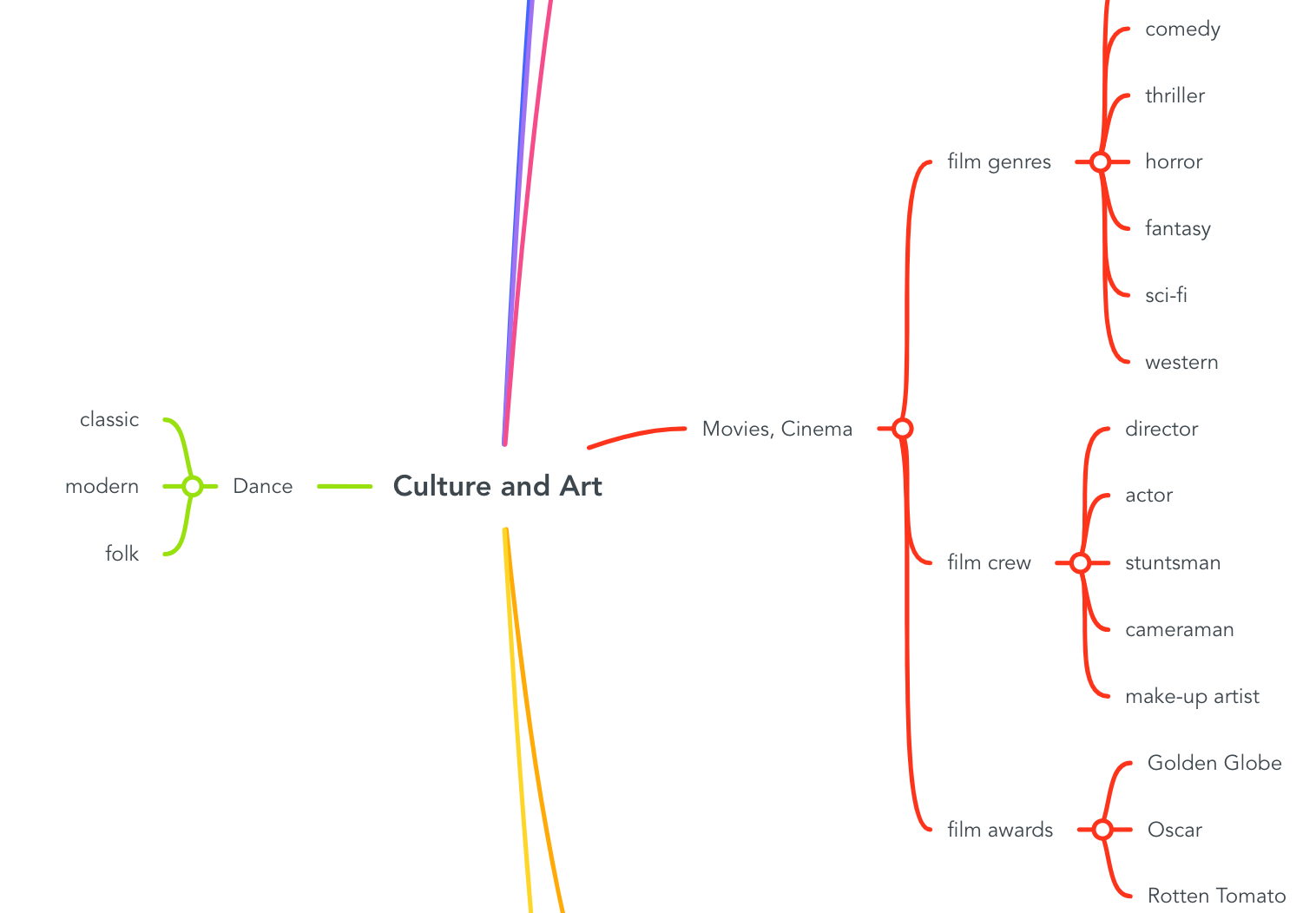
Group-leaders will share and present their mind-maps. Students will take notes, the teacher´s role is to provide additional information, explanation, examples using pictures or sentences to fix and memorize the new key words.
Students evaluate and decide on the best mind map.
Technical devices and tools required: laptop, whiteboard, projector
At the end of the project students will be given a link to the Google Forms (Kahoot?) application to test their vocabulary to get the immediate feedback.
Google Forms link: https://forms.office.com/Pages/ResponsePage.aspx?id=ekBbYwuqh0yCg2_-DcvzSI6WmsgAg_1DkMC29yHyqkBUQkc1V1NZOUc4WVNPSFdJMTUxTU8zRzJCUy4u
Groups will be created not randomly, but regarding students´abilities, communication and presentation skills.
Practising vocabulary by creating the WordArt clouds indivídually.
Retaking and practising the Google Forms quiz.
WordArt link: https://wordart.com/