

Digitales Werkzeug
Kurze Zusammenfassung
Application for creating easy-to-understand infographics collaboratively.
Gefällt mir
9
Beschreibung
Registration is required. Once you have selected the template that suits your purpose, you can invite students to edit it. You can add images, videos, links or music to the template and share your teams' work with others once it is finished.
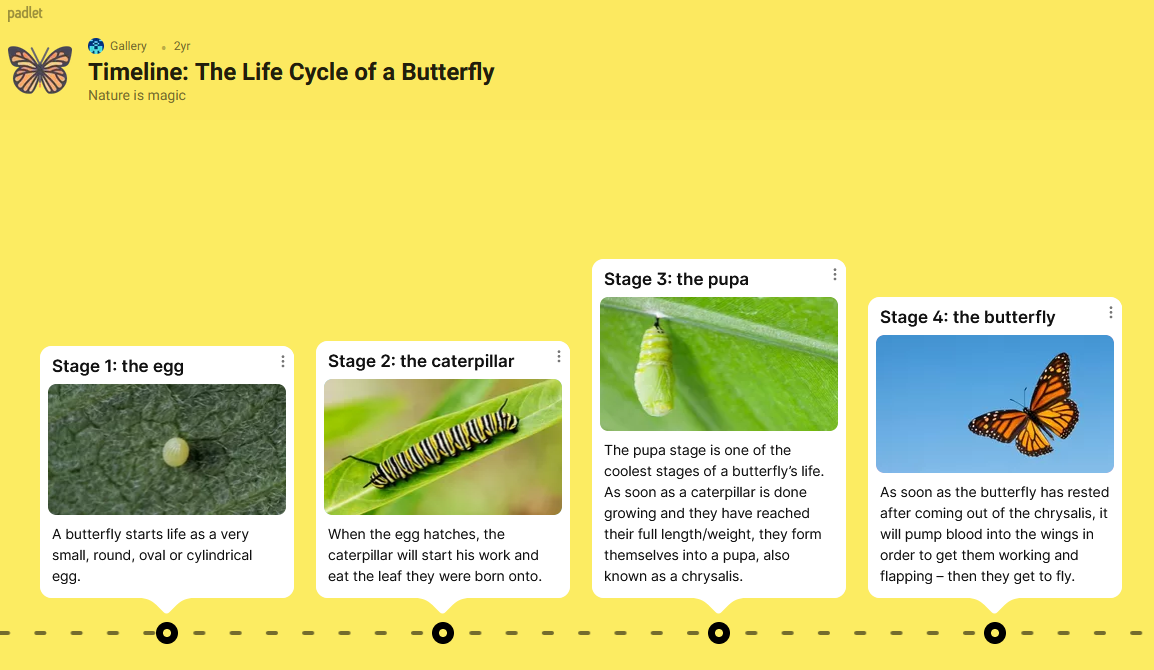
It can be used to create a simple chat, a question and answer game. You can add content to specific points on a map, create a timeline or even a bulletin board, or create your own learning material with visual elements. The finished work can be stored in your own account, printed and shared in a variety of ways:
- link
- QR code
- Embedded in a blog or website
- Facebook, Twitter, Google Classroom.
Vorteile
- easy to use on any device (tablet, phone, laptop, desktop)
- registration is free
- allows for individual, pair and group work
- you can download other people's work and contribute to other people's work
- its language is appropriate for young people
- templates can be personalised and changed
- comments can be turned off
Nachteile
- the number of freely available categories is small
- only 3 padlets can be created for free at a time
- the options offered by the site for inserting images, GIFs, YouTube videos, etc. are limited in the free version
Verwendung beim Lehren/ Lernen
It is useful when we want to involve students in a joint project and encourage them to be as creative as possible.
Tutorial-Video(s)
Beispiele